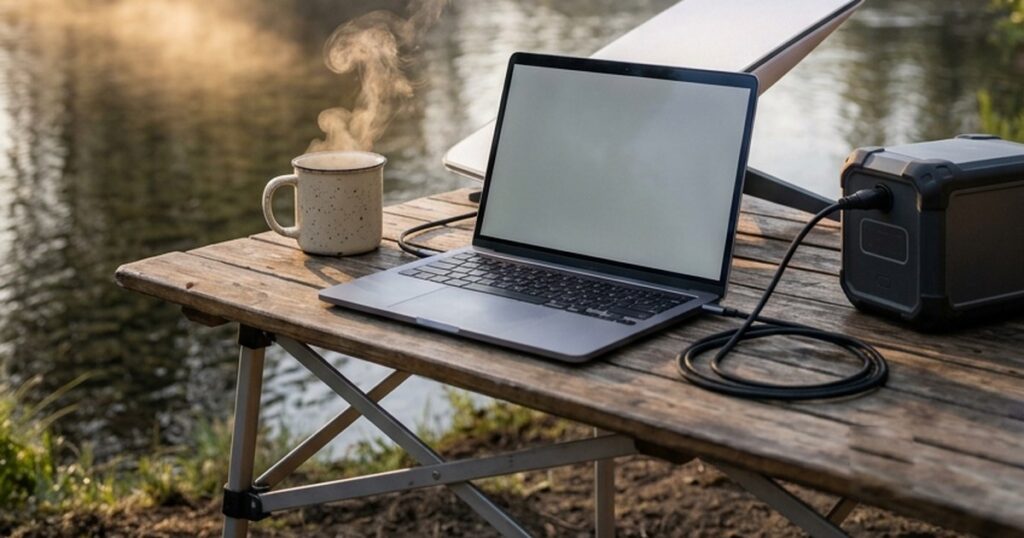
Working a full day from a campsite used to be a stunt. Now it’s a shopping list: internet, power, and somewhere to actually sit and type. The internet part is solved – Starlink Mini handles video calls from places your phone shows zero bars. What actually decides whether your workday survives is the part nobody plans: the power budget, and the furniture.
So that’s the order we’ll do this in. First the math – how many watt-hours a real workday eats, because that number picks your battery. Then the four pieces of gear: the dish, the power station, the panel that refills it, and the boring folding table that turns out to be the best money in the whole setup.
The workday power budget (do this math first)
Everything in a mobile office runs on watt-hours, and a workday’s total is smaller than most people guess. Starlink Mini draws 15-25W in steady use – call it 200Wh across a nine-hour day online. (Our Starlink power guide has the full measured numbers; the 480Wh/day figure there is for being online around the clock, not a workday.) The laptop is the wildcard, so both anchors: an efficient ultrabook needs one or two battery refills a day – 60-120Wh – while a big performance laptop metered at real work pulled about 51W, roughly 500Wh over a long day. Phone and earbuds add a rounding error.
| What’s running | Draw while working | Nine-hour day |
|---|---|---|
| Starlink Mini | 15-25W | ~200Wh |
| Ultrabook (MacBook Air class) | 1-2 recharges | ~60-120Wh |
| Performance laptop | ~50W metered | ~450Wh |
| Phone + earbuds + bits | trickle | ~25Wh |
| Lean total | ~300Wh | |
| Heavy total | ~650Wh |
Now size the battery the way the sizing pillar does it: you get about 85% of the rated number to your gear. A 500Wh station (~425Wh usable) covers one lean day with nothing spare. A ~1000Wh unit (~850Wh usable) covers a heavy day with margin, or two lean days – and with a 200W panel refilling it, the office runs indefinitely. That’s the configuration to buy.
The connection: what the Mini actually delivers on a workday
The numbers from people doing real work on it: 100-200 Mbps down in the field against a 65-260 spec, uploads around 20 Mbps, and the thing that matters for meetings – latency of 30-40ms, which is why Zoom and Teams just work. One overlander logged about 5GB of data per working day; the Roam plan’s unlimited land data doesn’t blink at that.
The honest catch is not speed, it’s sky. Campsites are the hard case precisely because the nicest pitches are under trees. Overlanders who work from the road carry the dish’s long cable or a small tripod and hunt for open sky instead of moving camp – plan your office corner the way you’d plan a solar panel’s spot. Heavy rain costs you speed for a while; canopy costs you the meeting.
The power: one station, one panel
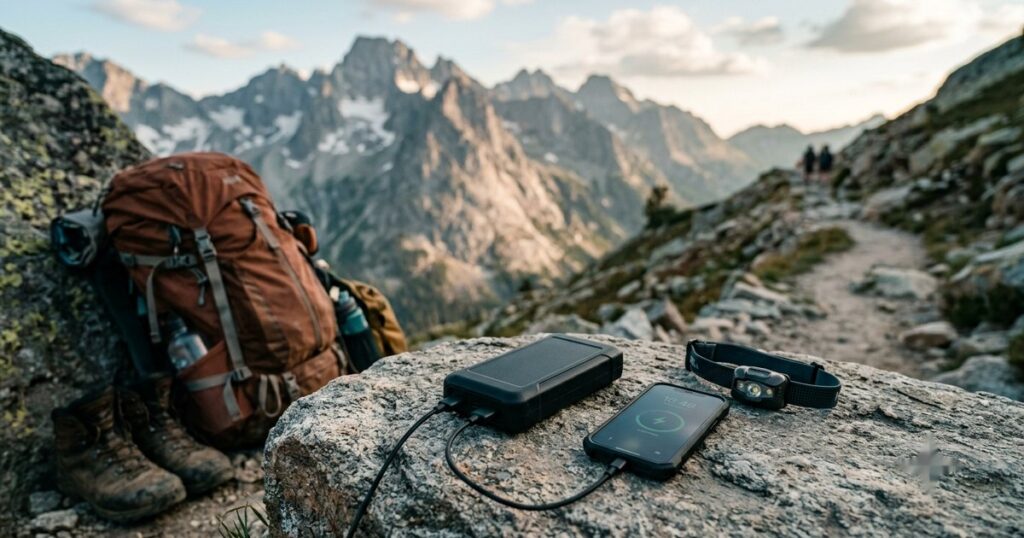
One spec catch worth knowing before you buy cables: Starlink lists the Mini’s input as 100W (20V/5A) USB-C PD. That’s the handshake and the boot spike, not the running draw – steady state is the 15-25W above. Size the source for 100W, budget the day at 25W. It also means a phone-sized power bank is a stopgap: a big 24,000mAh unit ran the dish about three hours in testing. Fine for a cafe-length session, not a workday.
EcoFlow Delta 3 Plus
Our standing best-overall car camping station, and the workday budget is exactly what it’s sized for: ~1024Wh of LiFePO4 covers a heavy office day with margin or two lean ones, the 12V and USB-C outputs run dish and laptop without inverter losses, and it recharges fast from the wall the night before or from solar while you work. If you already own a ~1kWh station, you’re equipped – this is not a special work purchase.
BougeRV 200W Portable Solar Panel
The piece that upgrades the setup from “a battery that lasts two days” to “an office that runs indefinitely.” In decent sun a 200W folding panel puts the lean workday’s ~300Wh back by mid-afternoon while you’re using it – the station is the buffer, the panel is the income. Same pick as our solar sizing guide; skip it only if your trips are one night long.
The desk: the boring gear that saves the workday
Here’s the part every work-from-camp article skips and every person who’s tried it learns by lunchtime: camp furniture is built for dinner, not for eight hours of typing. Backpacking tables are knee height. Lounge chairs recline you away from the table. Your actual desk at home is about 29 inches tall, and your laptop needs all of them.
Lifetime 4-Foot Adjustable Folding Table
The trick is one spec: the legs set to 24, 29 or 36 inches – and 29 inches is desk height. A 48×28 inch top takes a laptop, a monitor, coffee and elbows; the steel-and-HDPE build was Treeline Review’s budget pick for camp tables and holds 200 pounds without the wobble that makes typing miserable. It’s 19 pounds and folds flat against the trunk wall. Not glamorous. The most used piece of gear in the whole setup.
ALPS Mountaineering King Kong Chair
GearJunkie’s testing crowned it the most supportive, stiffest-backed chair in the category, and that’s exactly the job: a high straight back and upright geometry you can type in all day, where the average camp chair slings you backwards into lounge mode. Heavy and bulky – this lives in a car boot, not a pack – but so is your office chair.
The catches that end workdays early
- Trees. The number one failure. The Mini needs open sky, and the shadiest, prettiest pitch is usually the worst office. Pick the campsite for shade and the dish’s spot for sky – the long cable or a cheap tripod bridges the two.
- Sun on the laptop. Screens lose to direct sun and laptops throttle in heat. The awning or shade tarp you’d pack anyway is also your office ceiling.
- The boot spike. The Mini wants a 100W-capable port to start even though it runs at 25W. Any real power station clears it; a marginal USB-C port may not.
- Battery bravado. “It’ll be fine” is not a power budget. Run the table above for your laptop – the difference between an ultrabook and a workstation is 400Wh a day, which is the difference between one battery and two.
- The plan fee. The Mini needs the monthly Roam plan, and that’s the real cost of the setup over a year. Pause it for the months you’re not out.
What to skip
- The Standard dish. It pulls two to three times the Mini’s power and needs a bigger battery for zero workday benefit. The Mini is the off-grid office dish, full stop.
- Ultralight backpacking tables. A 15-inch-tall side table is a footrest with delusions. If you’re typing on it, it needs to reach your chair. Desk height or stay home.
- Dedicated “Starlink battery base” gadgets. Neat, single-purpose, and beaten by any general power station that also runs your laptop, lights and fridge. Buy capacity once.
- A 2kWh-class station for solo work. The heavy workday is ~650Wh. A 1kWh unit plus a panel is lighter, cheaper, and never runs out. Put the difference into the panel and the table.
- A giant inverter. Everything in this post charges from USB-C or 12V. You’re building an office, not a workshop – see the inverter guide if you genuinely need mains.
Size the pieces properly: Starlink Mini’s real power numbers · what size power station you need · how much solar keeps it topped up · the full power station roundup. Keeping lunch cold too? Add the fridge’s share to your budget.
The receipts: what I read and watched
- Field testCan the Starlink Mini Actually Let You Work From Anywhere? I Put It to the Test. ↗ – Veritas Vans (YouTube)A full remote workday attempted on the Mini – the field test behind this guide.
- Expert reviewCan You Work Remotely With the Starlink Mini? A Complete Guide ↗ – SatelliteInternet.comObserved 100-200 Mbps and 30-40ms latency on real calls; the 100W source requirement; a large power bank ran the dish only ~3 hours.
- Owner reportsIs Starlink Mini good enough for remote work while traveling? ↗ – Bantha OverlandWorking overlanders’ log: ~25W measured draw, 161/22 Mbps, ~5GB per working day, and campsites (trees) as the hard case – carry a tripod, hunt sky.
- Hard numbersHow Much Power for a Mobile, Marine, or Off-Grid Computer? ↗ – EXPLORIST.lifeAC-metered real work session: 204Wh in 4 hours (~51W average) – the performance-laptop anchor – plus the battery-Wh method used for ultrabooks.
- Hard numbersCharger ratings by laptop class (30W Air to 140W 16-inch pro) – the ceilings the budget table stays under.
- Expert review10 Best Camping Tables of 2026 (Tested and Reviewed) ↗ – Treeline ReviewThe Lifetime adjustable table as budget pick – 24/29/36 inch heights, 200 lb capacity – and why 15-inch ultralight tables don’t make desks.
- Expert reviewThe 14 Best Camping Chairs of 2026, Tested ↗ – GearJunkieThe King Kong as the most supportive stiff-backed option, and low-slung loungers flagged as poor for table work.
FAQ
How much power does a full remote workday use at camp?
Roughly 300Wh for a lean setup (Starlink Mini all day plus an ultrabook and a phone) and up to about 650Wh with a performance laptop working hard. Starlink Mini itself is only ~200Wh across nine hours online. The laptop is the variable that matters – meter yours, or count how many battery refills a workday takes and multiply by its battery’s watt-hours.
Can Starlink Mini handle video calls all day?
Yes – this is what it’s good at. Field users report 100-200 Mbps down and 30-40ms latency, which keeps Zoom and Teams stable, with real working days using about 5GB of data. The failure mode is obstructed sky, not bandwidth: under tree canopy calls drop, so position the dish in the open even if you sit in the shade.
What size power station do I need to work from camp?
A ~1000Wh LiFePO4 unit is the right buy for most: at ~85% usable capacity it covers a heavy workday with margin or two lean days, and a 200W solar panel refills a lean day’s usage by mid-afternoon. A 500Wh unit works for one frugal day with no spare; go bigger than 1kWh only if a fridge shares the battery.
Do I need a special table to work from a campsite?
You need a table at desk height – about 29 inches – that doesn’t wobble when you type. Most camp tables miss on both counts: backpacking tables are knee height and roll-tops flex. An adjustable folding table with a 29-inch setting plus a chair with a high straight back is the cheapest productivity upgrade in the whole setup.
Is Starlink Mini worth it for occasional work trips?
If you work away from coverage more than a few days a year, usually yes – the hardware is a one-time buy and the Roam plan pauses in months you don’t travel, so occasional use mostly costs you the months you’re actually out. If your campsites have solid LTE, a phone hotspot is the cheaper answer and this post’s power and desk sections still apply.